中文
中文Rohos roadmap for 2020

SafeJKA SRL is glad to share Rohos software roadmap for 2020 year…
 Sicherer Zugriff auf Windows/Mac und Verschlüsselung mit USB-Stick
 We have updated Rohos Management Tools v.4.4 adds improvements and bug fixing for Rohos Logon Key v.4.4 in Active Directory network. New Rohos Management Tools allows better MFA management over Active Directory workstations in isolated environments. With Rohos you can use industry accepted RFID cards such as EM, HID Prox, HiTag, Legic, Mifare as a second/single factor logon method for workstation/HMI terminals.
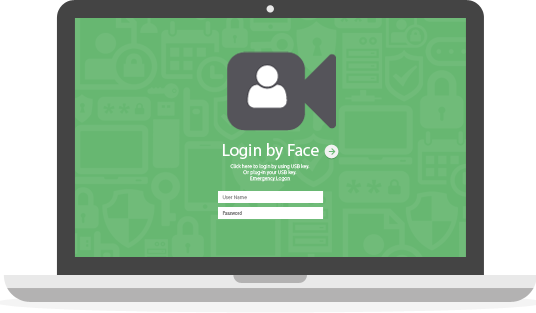 We are glad to announce new update for Rohos Face Logon that allows to set adaptivity level for face recognition. This allows quicker login in any lighting conditions.
Whats new in brief:
We are glad to announce new MFA Push Tokens support to “Smartphone” authentication method available in Rohos Logon Key. The Rohos Logon Mobile app will deliver two-factor push notifications to workstation or remote desktop server for fast and secure access. A single smartphone can keep multiple authentication records to access multiple computers.
Rohos 2FA Push token advantages:
We’re delighted to announce Rohos Face Logon update v4.0. Now it is fully compatible with Windows 10 and latest Hi-Res web cameras installed on majority of laptops nowadays. Rohos Face Logon is compatible with Windows Hello, it means you can combine different login methods with Rohos Face Login. If your laptop is not equipped with Windows Hello Infra-red camera you still can setup Face Login method with Rohos for fast and convenient access.
Login possibilities with Rohos: Your Face, USB flash drive, PIN code , Picture, and regular password.
On next update we also plan to add One Time Password login option that will protect your laptop for remote desktop access, by using Google Authenticator.
 We have published Rohos Disk Encryption v.2.7 with new experimental functionality “Encrypt Folder”. This feature that allows to encrypt your Cloud Storage folders like OneDrive, Google Drive and others. Now Rohos is able to encrypt arbitrary files on a computer and thus Cloud Synchronization and Backup tools uploads fully encrypted data to the cloud since the sensitive data appeared on the computer.
In order to work with the files you need to enter password and use special drive letter within Explorer or Any other application. Read how it works or download now.
We are glad to announce new Rohos Logon Key v4 for Windows. Now it has a possibility to combine two-factor authentication methods for a single desktop or user and define rules to support multi-factor authentication (MFA) control. Since 4.0 Rohos Logon Key will introduce rule-based multi-factor authentication decision support framework that brings MFA intelligence depending on access context. It automatically selects strong authentication method for privileged users or remote desktop access and convenient single-factor authentication when you use Windows computer in regular way on a desktop.
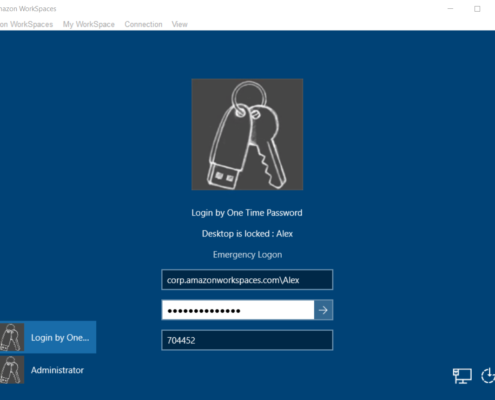
Rohos Logon Key v3.9 provides an effective and platform independent means of Multi-factor Authentication for your Amazon WorkSpaces desktops. You can protect access to AWS Windows desktops with Google Authentication OTP codes or Yubikey OTP codes. This greatly increase security, brings compliance with HIPPA, PCI-DSS or works as a password replacement technology.
We are happy to report that Rohos Logon Key for Mac (3.4) is compatible with macOS 10.14 Mojave.
We are working on bringing a better dark mode support into our app in the nearest feature.
Now you can download and update to new version.
We are working towards to add new authentication experience for Windows login and now Rohos Logon Key v.3.8 allows to use any supported 2FA authentication device in combination with One Time Password authentication method (Google Authenticator). This will help to apply strong two-factor authentication with local or remote access. With this features we will start to introduce rule-based multi-factor authentication decision framework into Rohos Logon Key.
Whats new in new Rohos Logon Key v.3.8 in brief: